Tayasui Sketches
- 3.7
- Rating
- 10.00M
- Installs
- Free
- Price

 Analysis by App-foxy
I spent time with Tayasui Sketches as a casual drawing and painting app, and my first impression was that it understands the difference between opening a digital canvas and opening a full creative workstation. The experience is aimed at getting ideas onto the screen quickly, with a softer, more approachable feel than many professional art suites. That makes it appealing for quick sketches, visual notes, coloring experiments, and relaxed practice rather than demanding production work.
It belongs to the Art & Design category and is developed by Tayasui Sketches. The app is free to install, with in-app purchases ranging from $2.99 to $49.99 per item. It is rated for Everyone, so it is easy to consider for family use, although younger artists may still need guidance around optional purchases. On Android, it requires version 8.0 or later, and the current version is 1.5.41.
How the drawing experience feels in everyday use
The best way to understand this app is to imagine a small sketchbook that is always within reach. I found it most enjoyable when I stopped treating it like a replacement for a desktop graphics program and instead used it for the first stage of an idea. A rough character pose, a color combination, a handwritten reminder, or a quick landscape can be started without the ceremony that often comes with more complicated software.
You May Also Like

 Blood Strike: 2.5 Anniversary
Blood Strike’s Loadouts Turn Every Drop Into a Tactical Gamble
A close look at Blood Strike’s custom loadouts: how fast access to signature weapons reshapes its battle royale rhythm, rewards preparation, and narrows the gap between fights.

 Pandora - Music & Podcasts
Pandora’s Music Is Easy to Start, but Harder to Recover
Pandora’s strength is its low-effort path from a seed to a station. Its weak spot is how much confidence it asks you to place in connection, setup, and quiet recovery.

 8 Ball Pool
 Is Built on Rivalries, Rematches, and Routine
A close look at the rivalries, rematches, shared routines, and unanswered safety questions that turn a quick pool match into a persistent mobile community.

 Samsung Music
’s Quiet Strength Is Playing What You Already Own
Its reach comes less from spectacle than from dependable access to a personal library. That simplicity is both the app’s strongest retention engine and its ceiling.

 AccuWeather: Weather Radar
AccuWeather Review: A Quick, Clear Forecast for Everyday Decisions
For everyday plans, the best forecast is the one you can understand quickly. AccuWeather makes rain timing, radar, and local conditions easy to act on, with a few trade-offs.

 Hill Climb Racing
Why Hill Climb Racing Still Turns Crashes Into One More Run
A tiny car, a bumpy hill and one more upgrade: Hill Climb Racing keeps resurfacing because its simple chaos makes every near-miss feel personal.
More From Our News Desk
View All News


The interface has a deliberately tactile personality. Tools feel closer to familiar art materials than to a spreadsheet of technical controls, which helps the app remain friendly to people who are not already comfortable with digital illustration. That simplicity is a real strength when I want to draw for five minutes, but it also creates a trade-off: artists who expect deep professional controls may eventually find the workspace less comprehensive than a specialized alternative.
For a realistic everyday example, I could use it while waiting for an appointment to sketch a room layout, mark the position of furniture, and add a few colors to test the mood. I would not need to prepare a large project first. The same workflow works for a student planning a poster, a parent drawing with a child, or someone collecting visual ideas during a walk. The app makes more sense as a fast creative companion than as a complete studio pipeline.
Why the mobile format matters
On a phone, the main advantage is immediacy. A small screen naturally favors short sessions and broad gestures, so the app is at its best when I am exploring rather than polishing. A tablet gives the tools more room to breathe and makes longer sessions more comfortable, especially when I want to work carefully on line placement or color areas. The difference is not just screen size; it changes the kind of work I am willing to attempt.
I would recommend using a larger display whenever the drawing depends on fine detail. On a phone, fingers can cover the area being edited, and repeated zooming can interrupt the flow. That is not a flaw unique to this app, but its clean, lightweight approach makes the limitation more noticeable because there are fewer layers of advanced controls to compensate for a cramped workspace.
A useful habit is to begin with a loose thumbnail instead of trying to make the first mark perfect. I found that this suits the app’s quick-sketch character and reduces the frustration of working on a compact display. Once the main shapes are right, I can spend more time on color and texture without constantly correcting the whole composition.
Connectivity: when the network enters the picture
Drawing itself feels like the kind of activity I want to begin away from a desk, so connectivity affects the surrounding experience more than the creative impulse. I can imagine opening the app on a train, in a waiting room, or in a quiet corner of a café. In those places, I care less about social features and more about whether the canvas is ready when inspiration arrives.
I would not plan a time-sensitive project around an assumption that every online-related action will behave identically without a connection. Store access, optional purchases, updates, and any account or device-level services can require network access even when the act of drawing does not. My practical advice is to install the app, open the tools I expect to use, and test the complete workflow before leaving home for a trip or workshop.
This matters particularly for parents and teachers. If the app is being used during a class or a shared activity, checking it beforehand avoids turning a creative exercise into a troubleshooting session. It is also sensible to handle any purchase decisions before handing a device to a child, since the app is free to start but includes optional items.
Connectivity can also shape expectations around saving and moving work between devices. I prefer to finish an important drawing and verify that it is visible where I expect before deleting anything or changing devices. That is a general digital-art precaution, but it is especially valuable on mobile, where a drawing may be created during a short, spontaneous session and then forgotten.
What happens when something goes wrong
Every drawing app has a stressful moment: the gesture does not register, the device becomes crowded with other tasks, or the user leaves the app before checking the result. My approach with Tayasui Sketches is to treat recovery as part of the workflow rather than something to think about afterward. For important work, I save deliberately, keep the original until I have checked any exported copy, and avoid making major changes immediately after returning from another app.
I also recommend testing a small sample drawing before committing to a longer piece. This reveals whether the current device feels responsive enough, whether the display is comfortable, and whether the tools behave as expected in the way I intend to work. It is a simple step, but it prevents the common mistake of discovering a practical limitation after spending an hour on a detailed illustration.
Short, separate canvases are another sensible strategy for mobile use. If I am collecting ideas, I would rather create several focused sketches than one enormous page that becomes difficult to manage. This keeps experiments easier to revisit and reduces the emotional cost of abandoning a weak idea. The app’s approachable character supports that playful process better than a workflow built around heavy project management.
At the same time, I would be cautious about using it as the only home for irreplaceable artwork. A serious artist should maintain a separate copy of finished work using the device’s normal file or backup habits. That is not a criticism of the drawing tools; it is good practice for any creative app where hours of work may be stored on a phone or tablet.
Using it without wasting mobile data
For a data-conscious user, the drawing portion is not the part I would worry about first. The more relevant moments are downloading the application, installing updates, browsing optional content, and handling finished images. If I were working with a limited mobile plan, I would install and update over Wi-Fi, then keep cellular data available for the actual creative session only when necessary.
I would also avoid repeatedly moving large finished images while away from Wi-Fi. A better routine is to sketch during the day, review the work later, and transfer or back it up when connected to a trusted network. This separates the creative habit from the data-heavy housekeeping that can quietly consume a plan.
The free entry point makes experimentation easy, but the in-app purchase range deserves attention before a child or casual user explores every available option. I would check the purchase controls on the device and decide in advance whether optional tools belong in the budget. That small bit of preparation keeps the app’s friendly presentation from creating an accidental spending surprise.
There is also a privacy-minded reason to keep network habits simple: fewer unnecessary transfers mean fewer opportunities for confusion about where a drawing has gone. I like to know whether I am working locally, exporting a copy, or relying on a device service. Even without turning the app into a technical project, naming files clearly and checking the destination of important work makes mobile creativity much less fragile.
Where it beats the usual alternatives
Compared with a basic phone notes app, this is a much better choice when the visual mark matters. Notes are excellent for a quick list or a rough diagram, but they rarely make drawing feel like the main activity. Here, the app invites me to think in lines, color, and composition, so it is more satisfying for visual brainstorming and personal practice.
Compared with a large professional illustration suite, the balance shifts. A professional tool is usually the better option for complex layer structures, demanding production work, precise editing, or a workflow that must move through several stages before delivery. I would choose Tayasui Sketches when speed and approachability matter more than exhaustive control. The simpler environment can even be an advantage for beginners who would otherwise spend more time configuring tools than drawing.
It also occupies a different space from coloring-focused apps. Those apps can be relaxing when I want a prepared image and a narrow creative task. Tayasui Sketches is more open-ended: I have to bring the idea myself, which is rewarding for sketching but less suitable if I want instant, guided entertainment. Users looking for automatic effects, advanced design layouts, or a highly structured lesson system may be happier elsewhere.
One non-obvious strength is that its limitations can encourage better habits. Because I am not surrounded by endless production controls, I am more likely to concentrate on the basic question of whether the drawing works. For thumbnails, visual journaling, and early concepts, that focus is valuable. The same limitation becomes frustrating when I need a carefully engineered final asset, so the right choice depends heavily on the stage of the project.
Who should install it, and who should skip it
I think it is a strong fit for beginners, casual artists, students, parents looking for a shared drawing activity, and experienced creators who want a portable place for rough ideas. The Everyone rating and free starting price lower the barrier to trying it, while the familiar sketchbook feeling makes the first session less intimidating than a technical art suite.
I would be more cautious if you need a guaranteed professional pipeline, extensive precision controls, or a single application for every stage from concept to final delivery. In that situation, a more specialized alternative is likely to save time. I would also skip it if your main goal is guided coloring rather than creating your own marks, or if you strongly dislike working on a phone-sized screen.
Before choosing it, ask yourself three practical questions. Do you want to draw from a blank canvas or follow prepared activities? Will most sessions happen on a phone or a larger display? Are you comfortable keeping your own backup routine for important work? If the answers point toward quick, self-directed sketching on mobile, this app makes a convincing case.
My verdict on the connected creative experience
Tayasui Sketches has earned its place as an easygoing drawing app because it makes starting feel more important than configuring. I like it for visual notes, rough concepts, short practice sessions, and moments when I want to draw without carrying a full creative workstation into the experience. Its free availability, broad age rating, and established audience—over five million installs, with an average rating of four point zero from around seventy-five thousand ratings—make it a practical app to try rather than a niche experiment.
The network angle does not change my overall opinion, but it does change how I would prepare. I would install and test it before an offline-looking situation, keep purchases under control, use Wi-Fi for updates and transfers, and protect important drawings with my own backup habits. Those steps let the app remain what it does best: a quick, approachable place to turn an idea into marks.
My final recommendation is straightforward: try it if you want a friendly mobile sketchbook with enough room to explore, but do not mistake its simplicity for a full professional studio. For relaxed drawing and early-stage ideas, I would gladly recommend it to a friend. For complex production work, I would pair it with a more advanced tool rather than asking it to do a job it was never designed to handle.
FAQs for Tayasui Sketches
01What features does Tayasui Sketches offer?
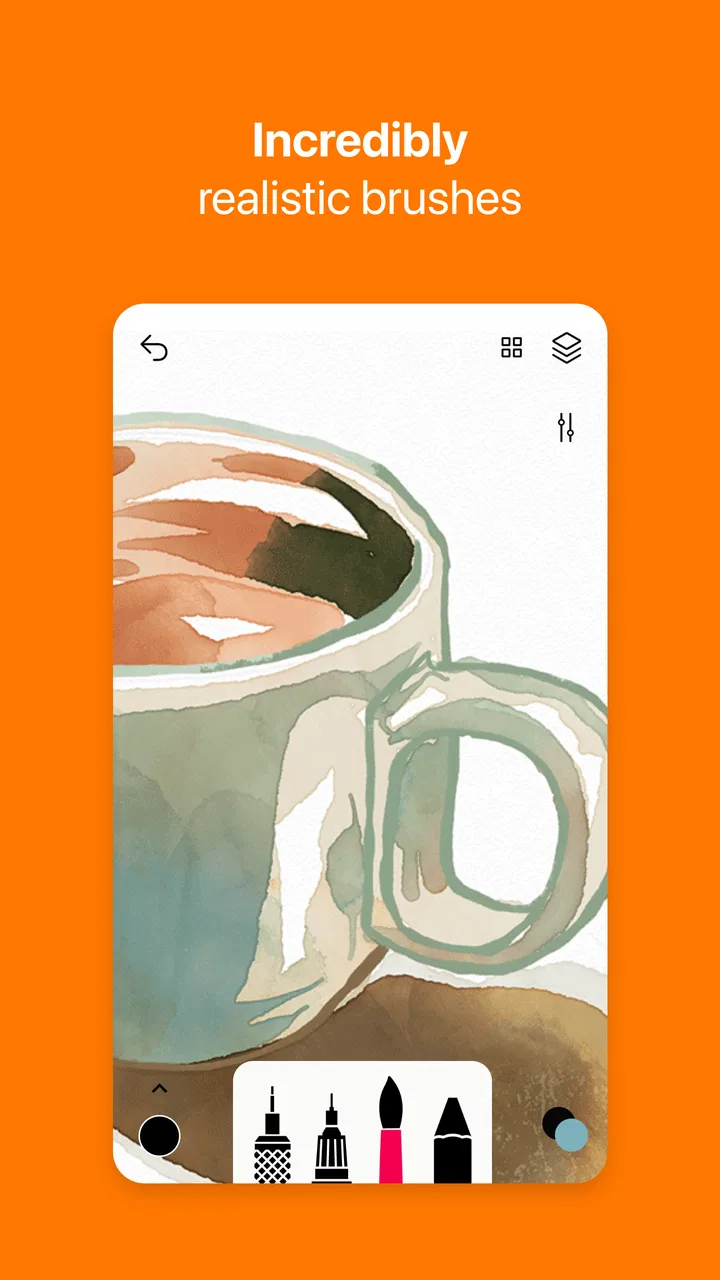
Tayasui Sketches provides a range of tools for artists, including realistic brushes, layers, and blending modes. The app is designed to mimic traditional drawing techniques, allowing users to create detailed artwork with ease. It also supports exporting art in various formats, making it versatile for both digital and print purposes.
02Is Tayasui Sketches suitable for beginners?
Yes, Tayasui Sketches is user-friendly and suitable for beginners. The intuitive interface and simple layout make it easy for newcomers to start drawing right away. Tutorials and guides are available within the app to help users get accustomed to its features and tools, making the learning process smooth and enjoyable.
03Does Tayasui Sketches support pressure-sensitive styluses?
Tayasui Sketches is compatible with pressure-sensitive styluses, providing an enhanced drawing experience for users who require precision. This feature is especially beneficial for artists who want to achieve varying line thickness and brush opacity based on the pressure applied, mimicking traditional drawing techniques.
04Are there any in-app purchases in Tayasui Sketches?
While Tayasui Sketches offers a free version with basic features, it also includes in-app purchases for additional tools and features. Users can choose to upgrade to the Pro version, which unlocks advanced options like more layers, additional brushes, and enhanced customization settings, providing a more comprehensive drawing experience.
05Can I share my artwork directly from Tayasui Sketches?
Yes, Tayasui Sketches allows users to share their artwork directly from the app. You can easily export your creations in various formats and share them on social media platforms, email, or cloud storage services. This feature makes it convenient for artists to showcase their work to a wider audience effortlessly.
Pros
- Intuitive user interface for easy navigation.
- Extensive brush library with realistic effects.
- Layers feature enhances creative flexibility.
- Smooth performance with minimal lag.
- Supports exporting in multiple formats.
Cons
- Limited free version features.
- No text tool available.
- Ads can be intrusive in free version.
- Requires in-app purchases for full access.
- No direct cloud storage integration.

Tayasui Sketches
Gallery